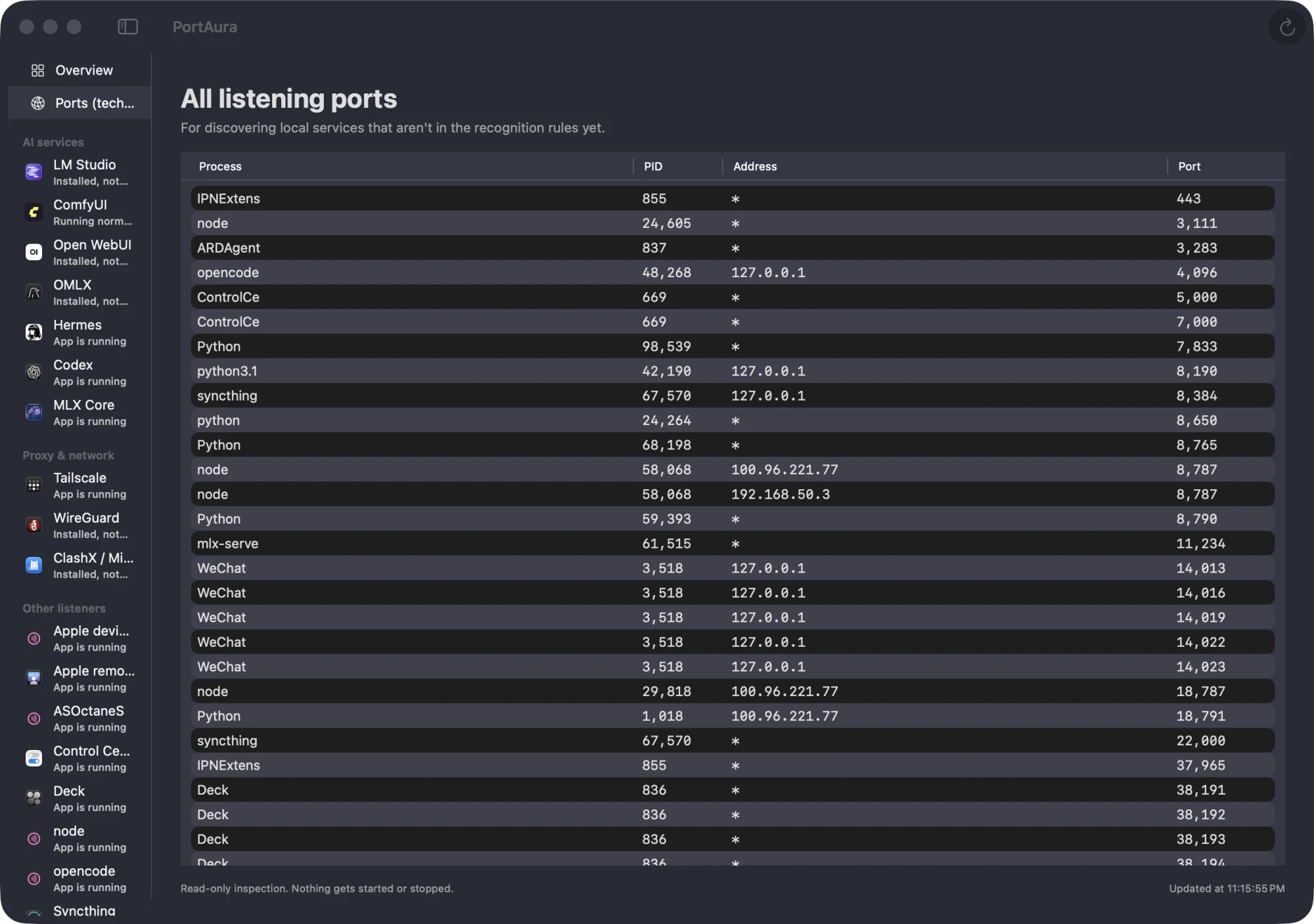
See what’s listening on your Mac
Every listening TCP/UDP port, together with the process behind it — name, PID, and listen address. Read-only and real time; nothing ever leaves your machine.
Read-only inspectionScan data never leaves your MacNo account required
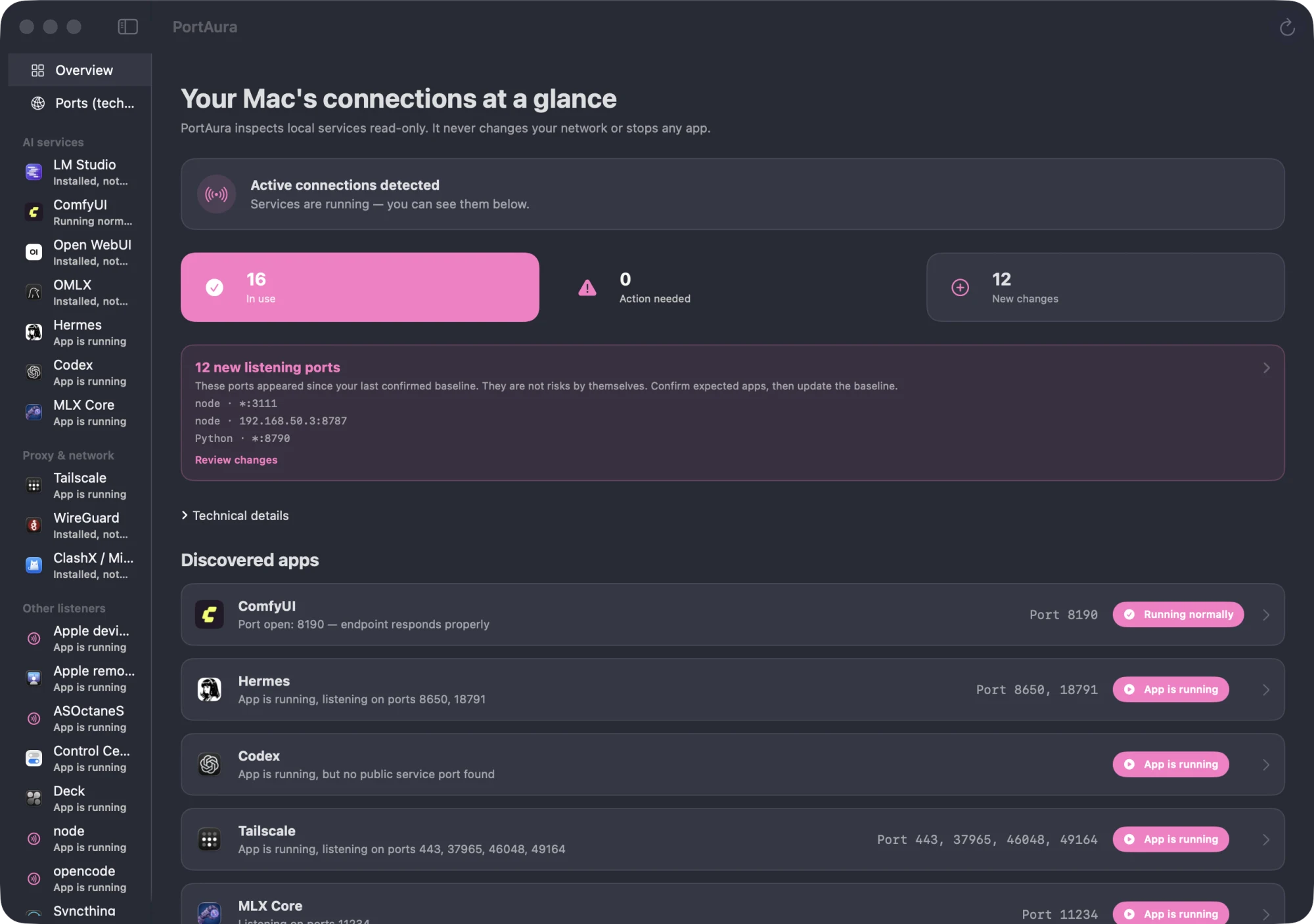
Know your Mac’s network at a glance
PortAura reads local system state the same way you would with lsof — then makes it legible.
Port scanning
Every port currently in the LISTEN state on your Mac, discovered automatically — with the process, PID, and listen address behind each one. No command line required.
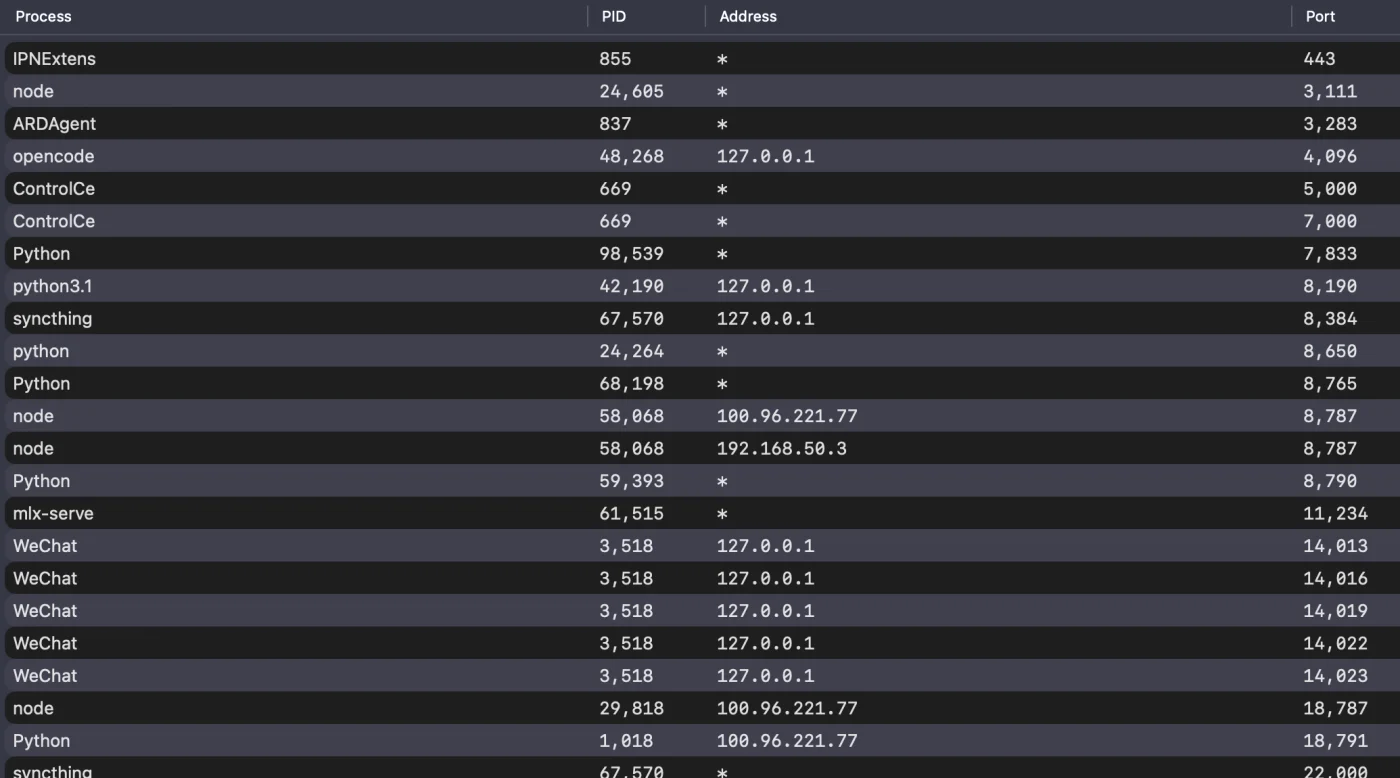
Port & process identification
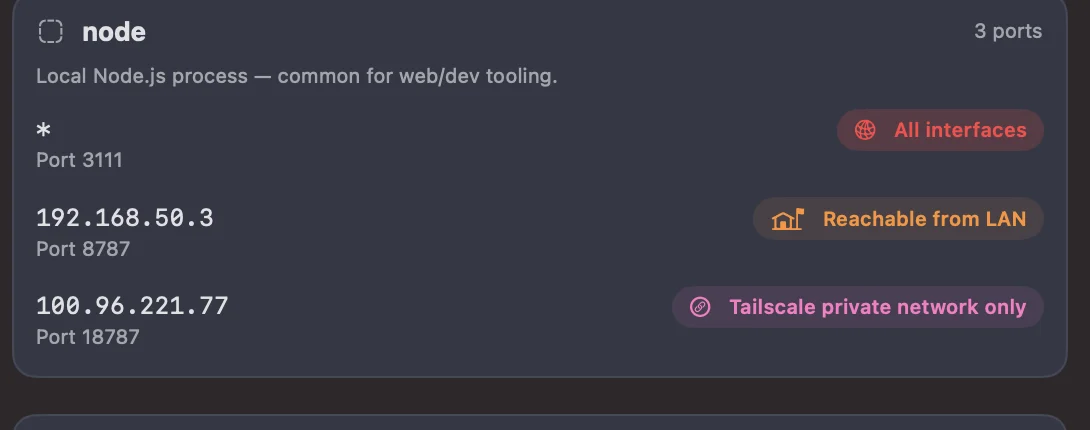
Tell localhost-only services apart from LAN-wide or all-interface exposure, listener by listener.
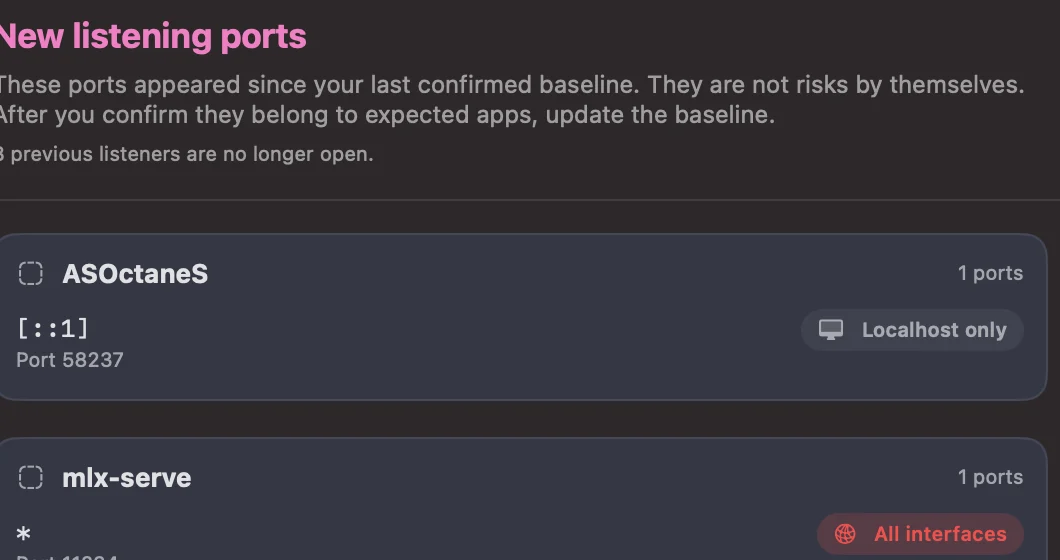
Port baseline & change alerts Pro
Mark the listeners you trust as a baseline. PortAura shows you exactly what changed and lets you confirm it in one place.
Local development companion
Recognizes common local dev services — LM Studio, Ollama, ComfyUI, and more — with running and health status at a glance.
Live menu bar status
A menu bar icon reflects the state of your local services in real time, so problems surface before you go looking.
Service deep diagnostics Pro
Item-by-item explanations of why a detected service is in its current state, with practical suggestions.
Free to inspect. One purchase to go deeper.
- Port baseline & change alerts — know the moment a new listener appears
- Service deep diagnostics — why a service misbehaves, and what to do
- All current & future Pro features — one license, free updates included
d0ab65b30d1de2a89bf01cfe5616b9a014896c2bf6bae33fee1a52de92ffad04
Download DMG →
Launched on Product Hunt

Out in the world today. Watch the 25-second launch film, then try it on your own Mac — the scan is free, local, and read-only.
Prefer to skip the tour? Download PortAura for macOS →